PUSH Video Wallpaper
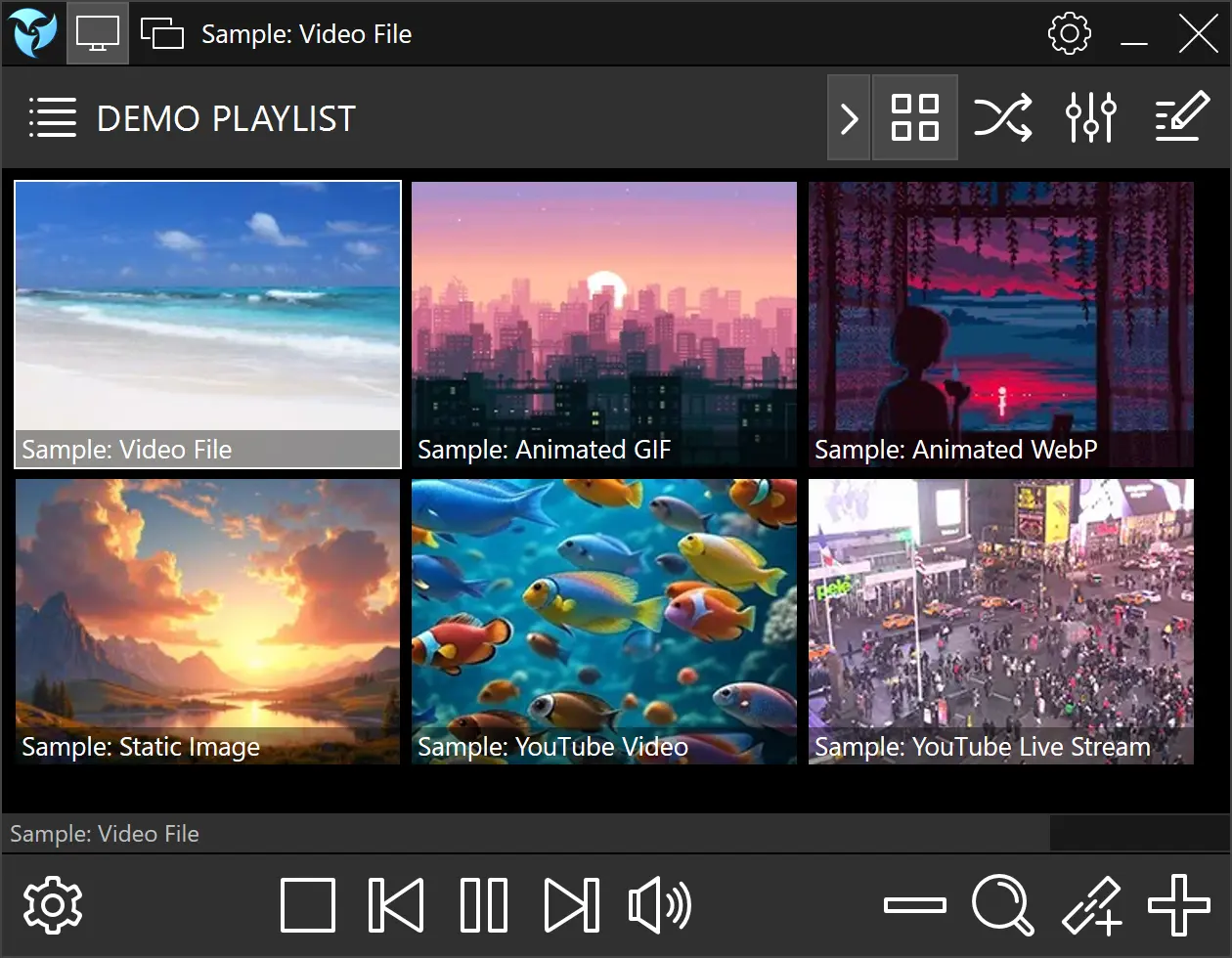
PUSH Video Wallpaper is a free powerful wallpaper manager that enables you to set videos, animated GIFs, or YouTube clips as your desktop background, providing your computer with a dynamic and personalized appearance.
Moreover, PUSH Video Wallpaper functions as a video screensaver, allowing you to enjoy your favorite videos, animations, images and YouTube clips on your lock screen.
Download PUSH Video WallpaperVersion 5.2.34 26MB (Standalone Installer)
System Requirements
- Windows 11/10
- Minimum 2GB RAM
- Integrated or discrete GPU recommended
Key Features
- Lightweight and compact interface with powerful playlist management
- Supports all modern media formats including MP4, GIF, WebP, and YouTube
- Video, photo, and animation slideshows with smooth transitions
- Native support for animated formats (GIF/WebP)
- Flexible pause settings ideal for gamers and laptop users
- Powerful multi-monitor management system
- Works as both live desktop wallpaper and lock screen screensaver
- No internet connection required after setup
Getting Started
Create a playlist and add your favorite videos, images, or animations.
Use drag-and-drop or browse your files — PUSH Video Wallpaper handles multiple formats seamlessly.
User Guide
PUSH Video Wallpaper is built around playlists, offering multiple types and powerful customization.
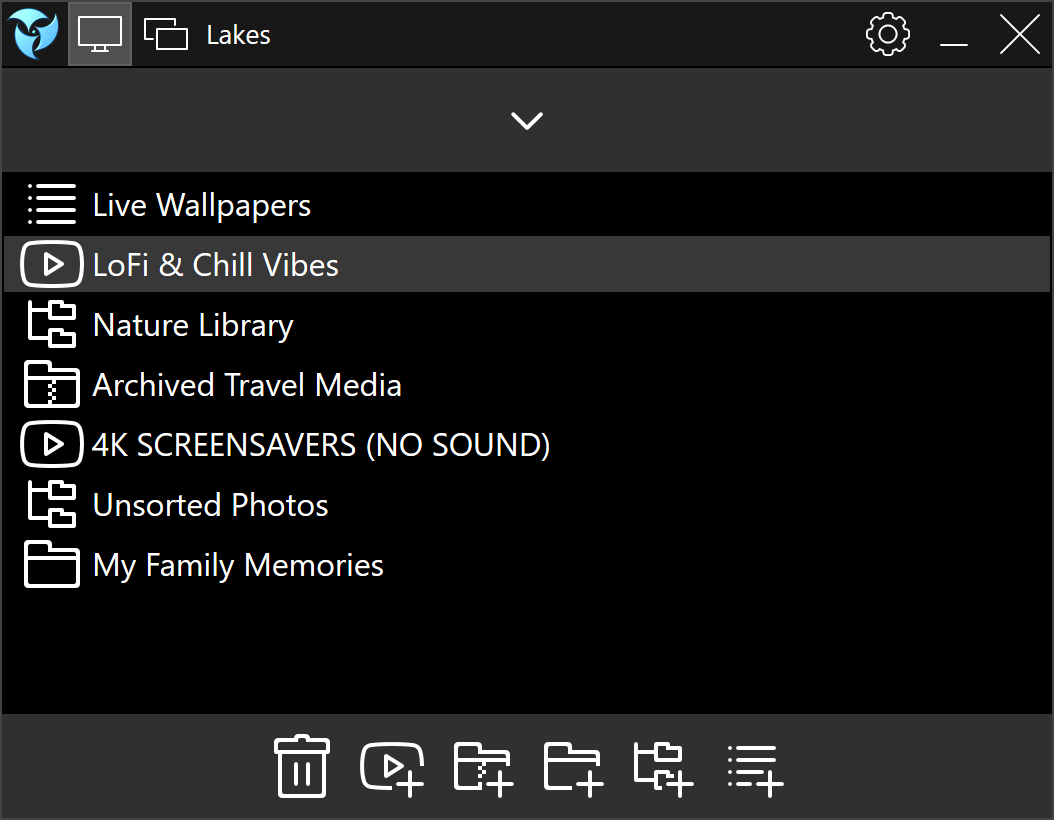
Playlist Types
Standard Playlist
Add local video files, images, animations, YouTube links, or direct video URLs. Folders with subfolders are supported.
Folder Playlist
All media added to this folder (including subfolders) appears automatically in your playlist.
ZIP Archive Playlist
Add media from ZIP files without extracting them. Great for home videos and archived image packs.
Folder Tree Playlist
Ideal for large structured media libraries. Add multiple root folders and apply filters to include specific files. Each root folder or subfolder can have its own default settings.
YouTube Playlist
Add a YouTube playlist link to stream videos directly as wallpaper or screensaver.
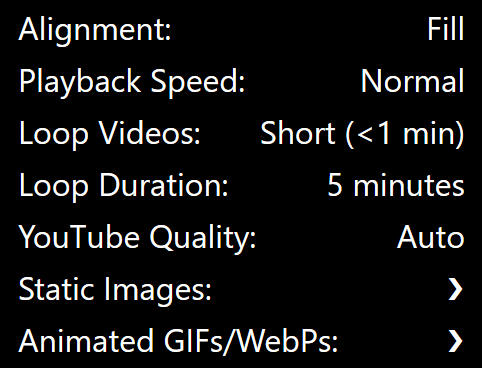
Playlist Default Settings
You can define default settings for each playlist, including:
- Image alignment (fill, fit, stretch)
- Playback speed
- Looping behavior
- Duration per item (videos, images, GIF/WebP animations)
- Anti-aliasing settings for static images and animations
- Default YouTube playback quality
Item Settings
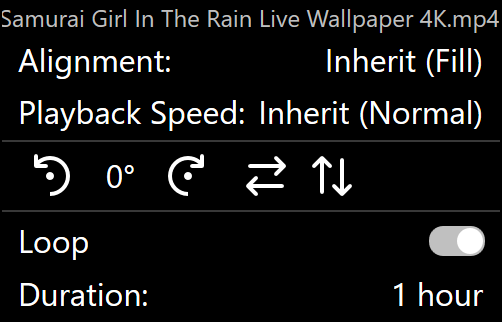
Additionally, each playlist item can have individual overrides:
- Alignment and scaling
- Loop toggle
- Playback speed
- Duration override
- Rotation and flip settings (horizontal/vertical)
Looping & Slideshow Mode
Short videos under 1 minute are looped by default, making them ideal as live wallpapers. You can disable looping or apply it manually. The "Duration" setting controls how long each media is shown before switching — perfect for slideshows made from your home videos, travel photos, or custom animations.
You can use these features as both desktop wallpaper and lock screen screensaver.
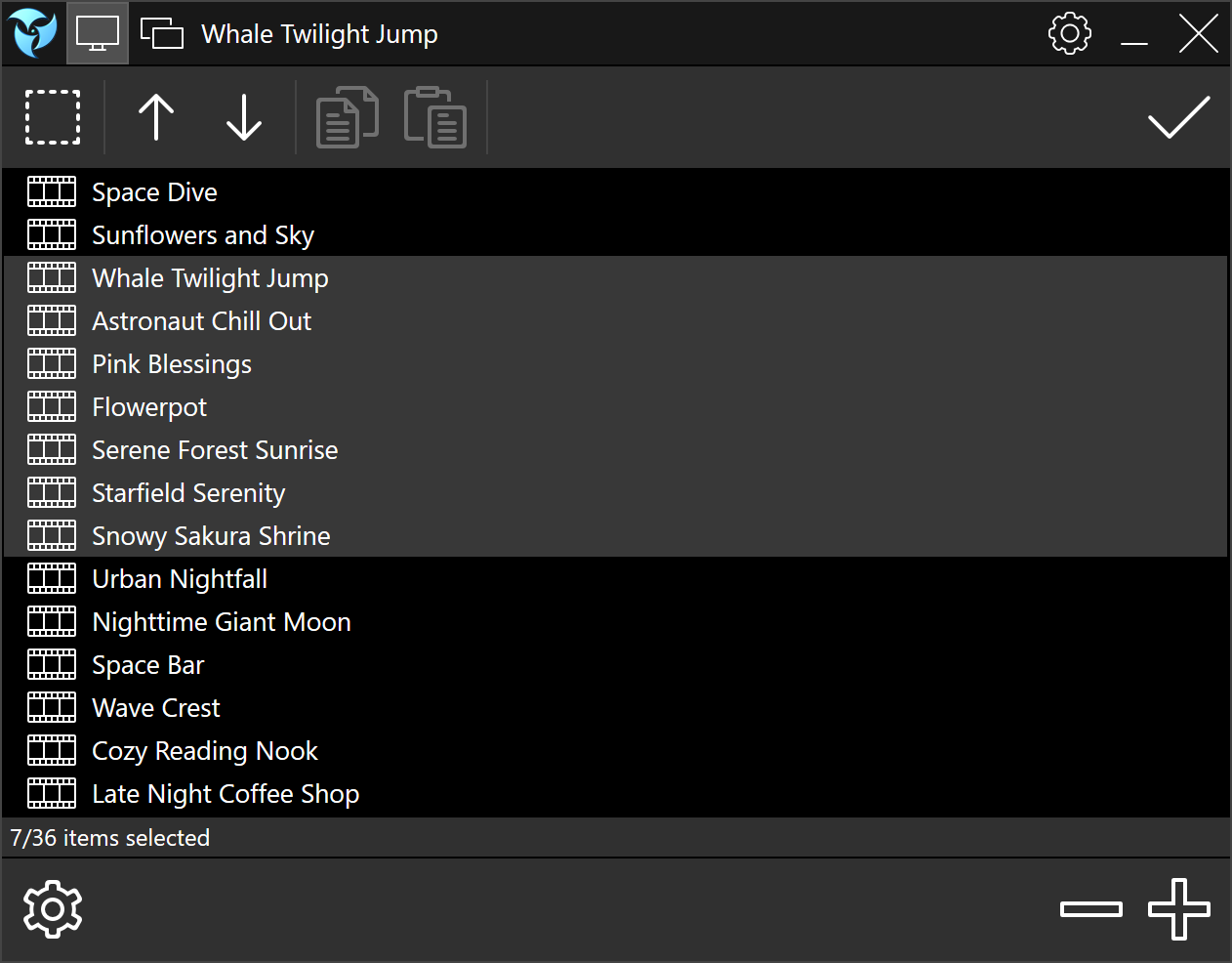
Playlist Editor allows bulk editing for multiple items at once.
Advanced Multi-Monitor Support
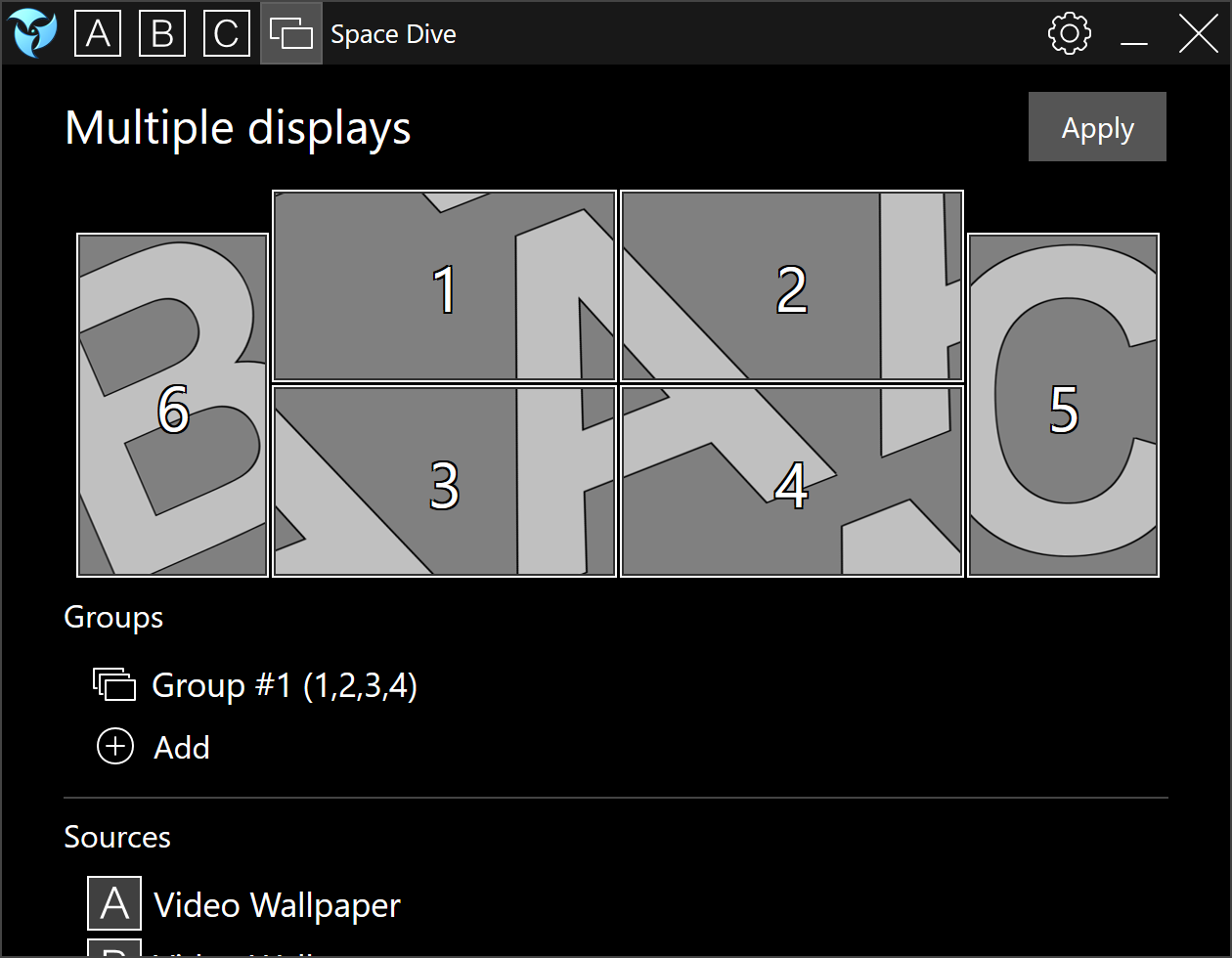
PUSH Video Wallpaper includes a powerful multi-monitor engine with profiles. Each monitor can:
- Duplicate or extend video
- Display separate playlists
- Be independently enabled or disabled
- Flip content vertically or horizontally
- Stretch a single playlist across all screens or assign unique media per monitor
using the concept of sources you can group monitors into groups by connecting sources (playlists) to them
Performance-Aware Playback
To optimize system performance, PUSH Video Wallpaper includes smart pause settings:
- Automatically pause during fullscreen games or video playback
- Reduce activity while running on battery
- Optionally stop rendering entirely to free up resources
These controls help you enjoy animated wallpapers without sacrificing performance.
Visual Customization
- Adjust desktop icon brightness for better visibility over bright wallpapers
- Control wallpaper brightness for optimal comfort and aesthetic
Lock Screen Screensaver Mode
All features are available in Screensaver Mode. Just choose:
Settings → Set as Screensaver
or
Start Menu → All Apps → PUSH Video Wallpaper → Set as Screensaver
In screensaver mode:
- Use Arrow Left/Right to change media
- Use Arrow Up/Down to adjust volume
Perfect for enjoying your media library when your computer is idle.
Language Support & Auto-Start
PUSH Video Wallpaper supports multiple UI languages and can launch automatically with Windows startup.
Reviews & Awards

“PUSH Video Wallpaper is a handy tool for anyone wanting a dynamic desktop. It balances functionality with performance, offering easy customization and smooth operation”
Read Review
“If you want to spark things up a little, PUSH Video Wallpaper might just be the way to do so: if the resource hog isn't of importance to you, then you'll have a blast with this.”
Read Review
“Download PUSH Video Wallpaper to take your desktop to the next level. Thanks to this program, you can turn any YouTube video into your animated wallpaper in just a few seconds. This way you can have loads of relaxing videos on your desktop.”
Read ReviewWhat Users Are Saying
"Finally, a live wallpaper app that doesn't kill performance. Smooth and simple!"
– Jordan K., Canada
"I use it every day. Makes my desktop feel alive. Highly recommend it!"
– Miho, Japan
"I replaced Wallpaper Engine with this. Easier to use and very stable."
– Luca35319
Frequently Asked Questions
Find answers to the most frequently asked questions about PUSH Video Wallpaper